Use new IAR IDE, the generated ota.bin and ram_all.bin are not complete, the file size is smaller.
Refer to the Patch: 4.0a_critical_patch_iar_8_11_(v01)
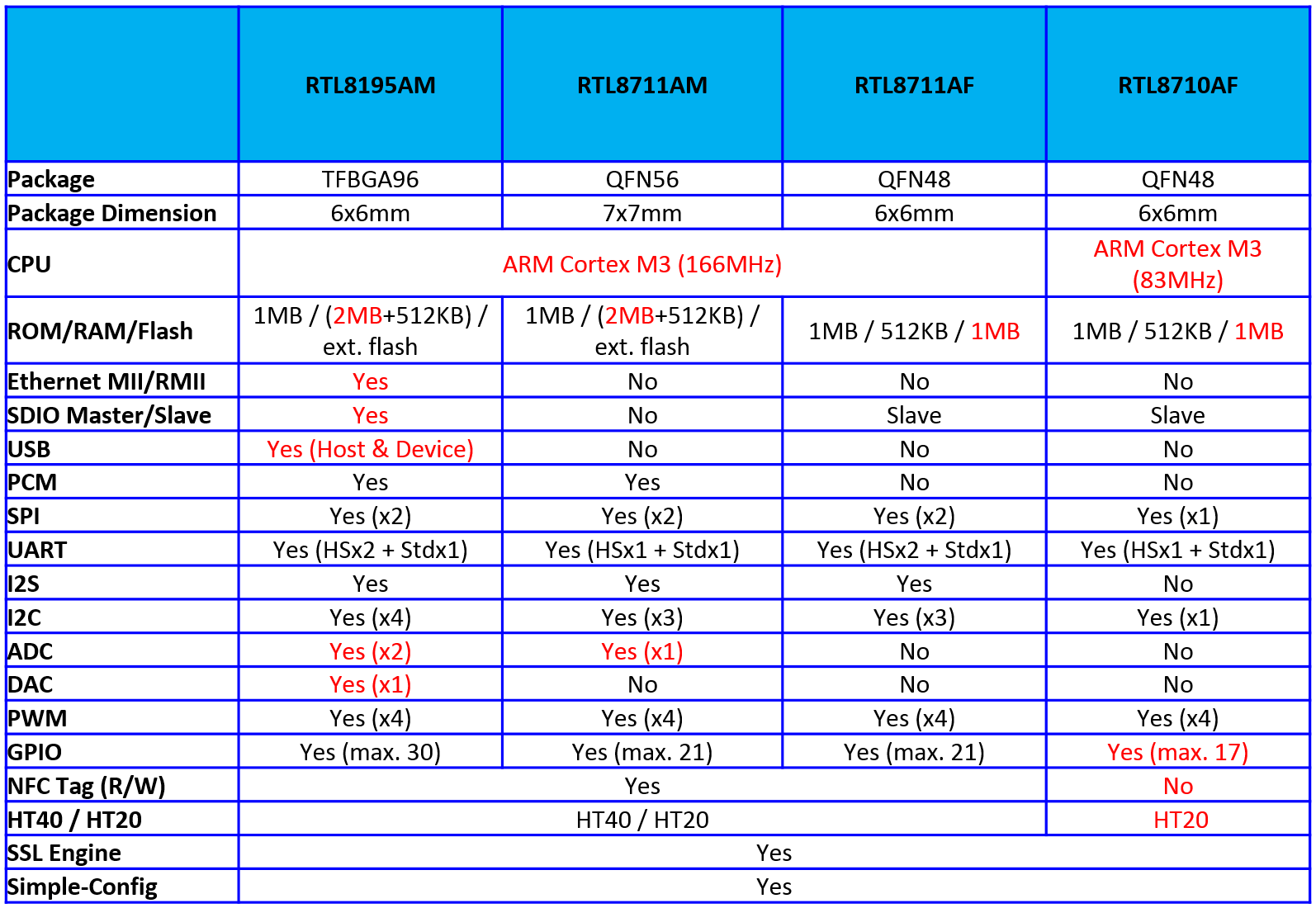
The following table shows the comparison:
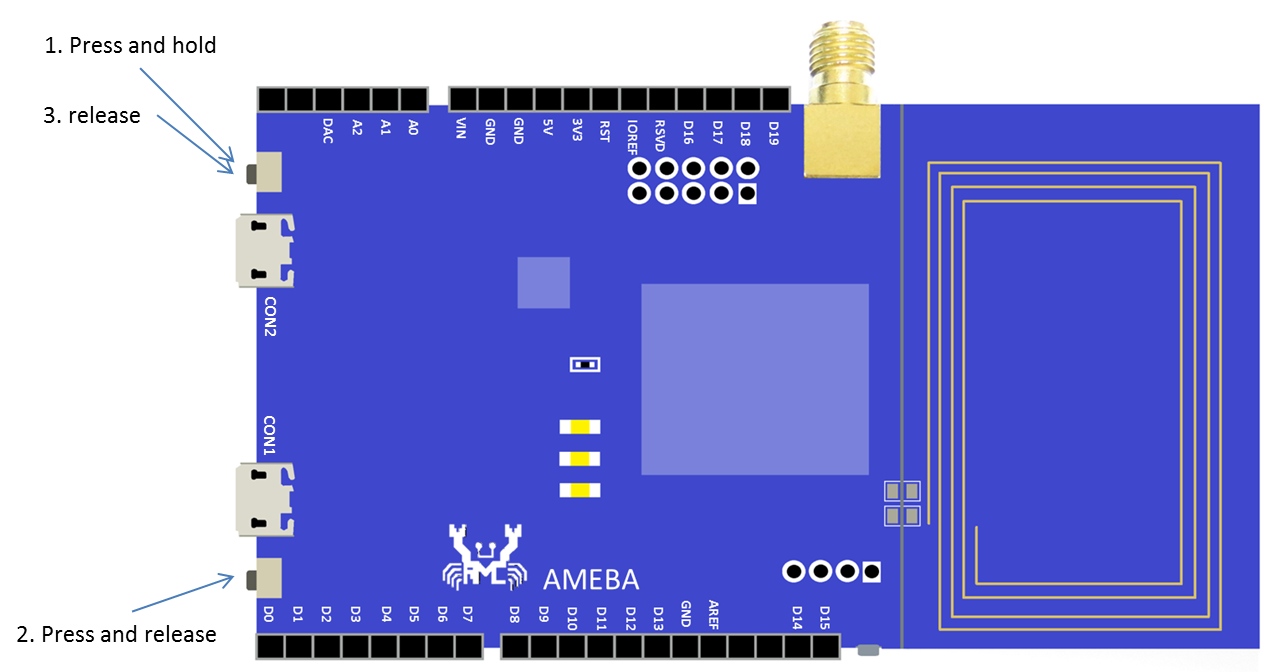
If you face the problem that J-link is not working, you can enter CRP DISABLED Mode to activate J-link. Refer to the steps below to enter CRP DISABLED Mode:
1. Keep pressing the button beside CON2 as follows
2. Press the button beside CON1
3. Release the botton that is hold on step 1
Show up a device with the name “CRP DISABLED” now
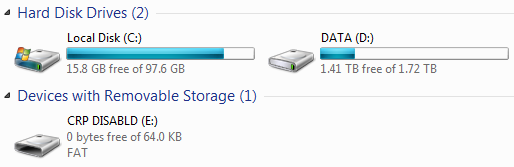 You can find a file “firmware.bin” when you open it. And it is the DAP firmware that Ameba uses.

You can find a file “firmware.bin” when you open it. And it is the DAP firmware that Ameba uses.
Please refer to Patch: 3.5a_GCC_patch_i2c_v01
Please refer to Patch: 4.0b_patch_i2c_nonDNA_for_gcc(v01)
Refer to the Patch: 4.0a_patch_dueros(v10)
Refer to the Manual: Realtek ALC5680用户指南_1v0_20170704_r1
Please refer to Patch: 3.4b_critical_patch_r25197_KRACK_(v01)
Please refer to Patch: 3.5b_critical_patch_r25180_KRACK_(v01)
Please refer to Patch: 3.5b_critical_patch_r25180_KRACK_gcc_(v01)
Please refer to Patch: 4.0b_critical_patch_r25176_KRACK_(v01)
Please refer to Patch: 4.0b_critical_patch_r25176_KRACK_gcc_(v01)
Please refer to Patch: 4.0a_patch_mp_nonNDA_(v01)
Please refer to the Link
Please confirm whether the J-Link driver is successfully installed.
